Make your Mac
work like Windows
Ctrl+C, Ctrl+V, Home/End, Ctrl+Arrow, Ctrl+Backspace, Alt+Tab — all the shortcuts you know, working on your Mac instantly.
Your muscle memory, finally respected.
7-day free trial, then $4.99 one-time. Free updates for life.
See it in action
Watch Windows shortcuts working natively on macOS
Everything to feel at home on macOS
No relearning, no muscle-memory rewiring. Just use your Mac the way you already know how.
Clipboard Shortcuts
FreeCtrl+C, Ctrl+X, Ctrl+V — copy, cut, and paste work exactly like Windows. No more Cmd confusion.
Editing Shortcuts
ProCtrl+Z undo is free. Pro adds Ctrl+Y redo, Ctrl+A select all, Ctrl+S save, Ctrl+F find, Ctrl+H find & replace, Ctrl+T/Shift+T tabs, Ctrl+P print, Ctrl+O open, Ctrl+L address bar, Ctrl+` clipboard search, and more.
Alt+Tab App Switching
ProHold Alt, tap Tab to cycle through apps. Release Alt to switch. Full state machine, just like Windows.
Navigation Keys
ProHome/End go to line start/end. Ctrl+Arrow moves by word. Ctrl+Home/End jumps to document start/end. All selection variants (Shift+Home, Ctrl+Shift+Arrow, Ctrl+Shift+Home/End) included.
Reverse Scroll
ProScroll down to go down, like Windows. Reverses macOS "natural scrolling" with one toggle.
Per-Window Menu Bar
ProFile, Edit, View menus at the top of each window — not stuck at the top of the screen. Windows-style close/min/max buttons too.
Taskbar Window Preview
ProHover over any Dock icon to see live thumbnails of every open window — just like the Windows 11 taskbar. Click to switch, X to close, hover to peek.
The Windows taskbar — on your Mac
macOS shows you an app name when you hover over the Dock. Windows shows you every open window with live screenshots. Now your Mac does too.
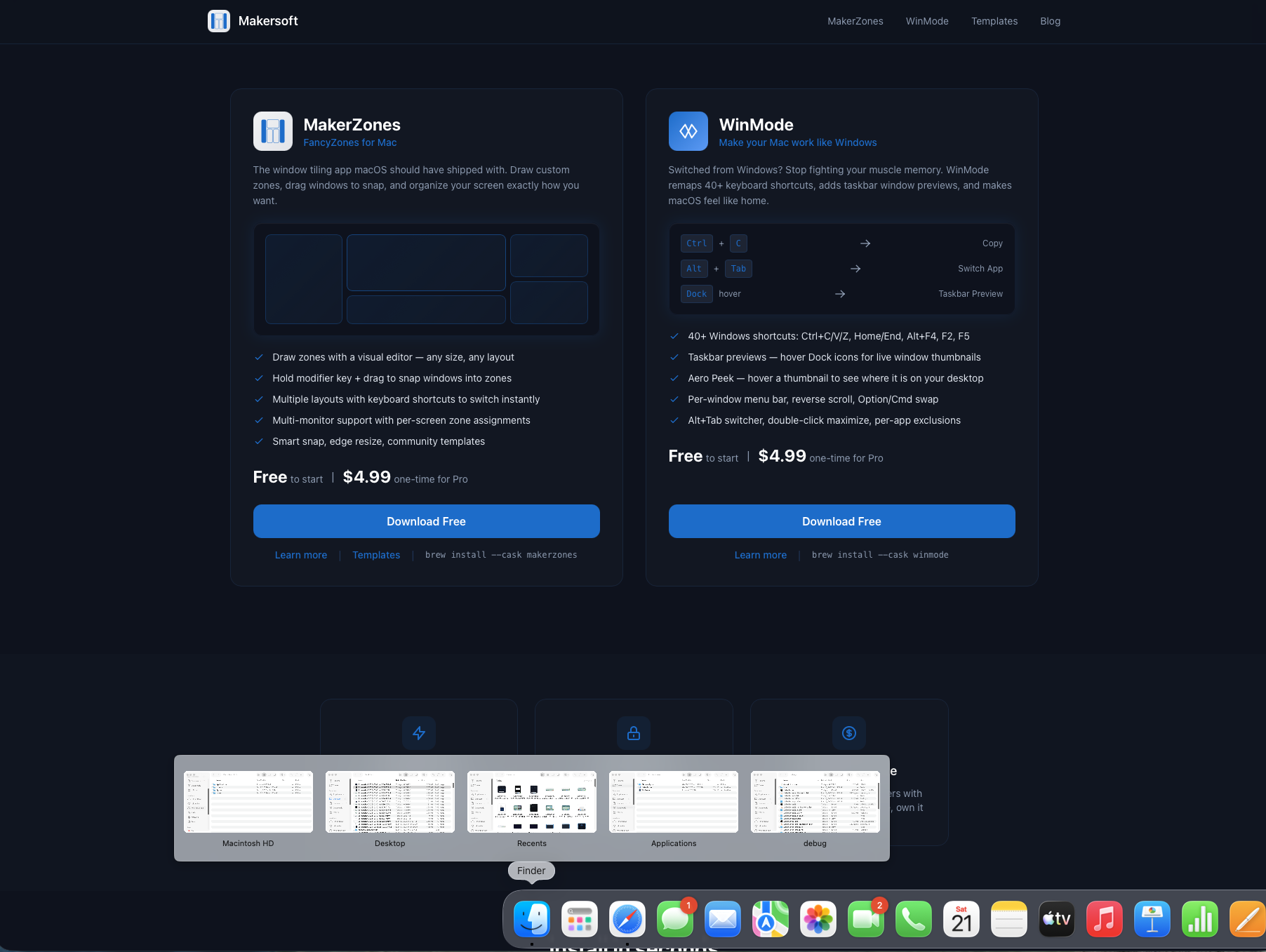
Hover over any Dock icon to see live thumbnails of every window
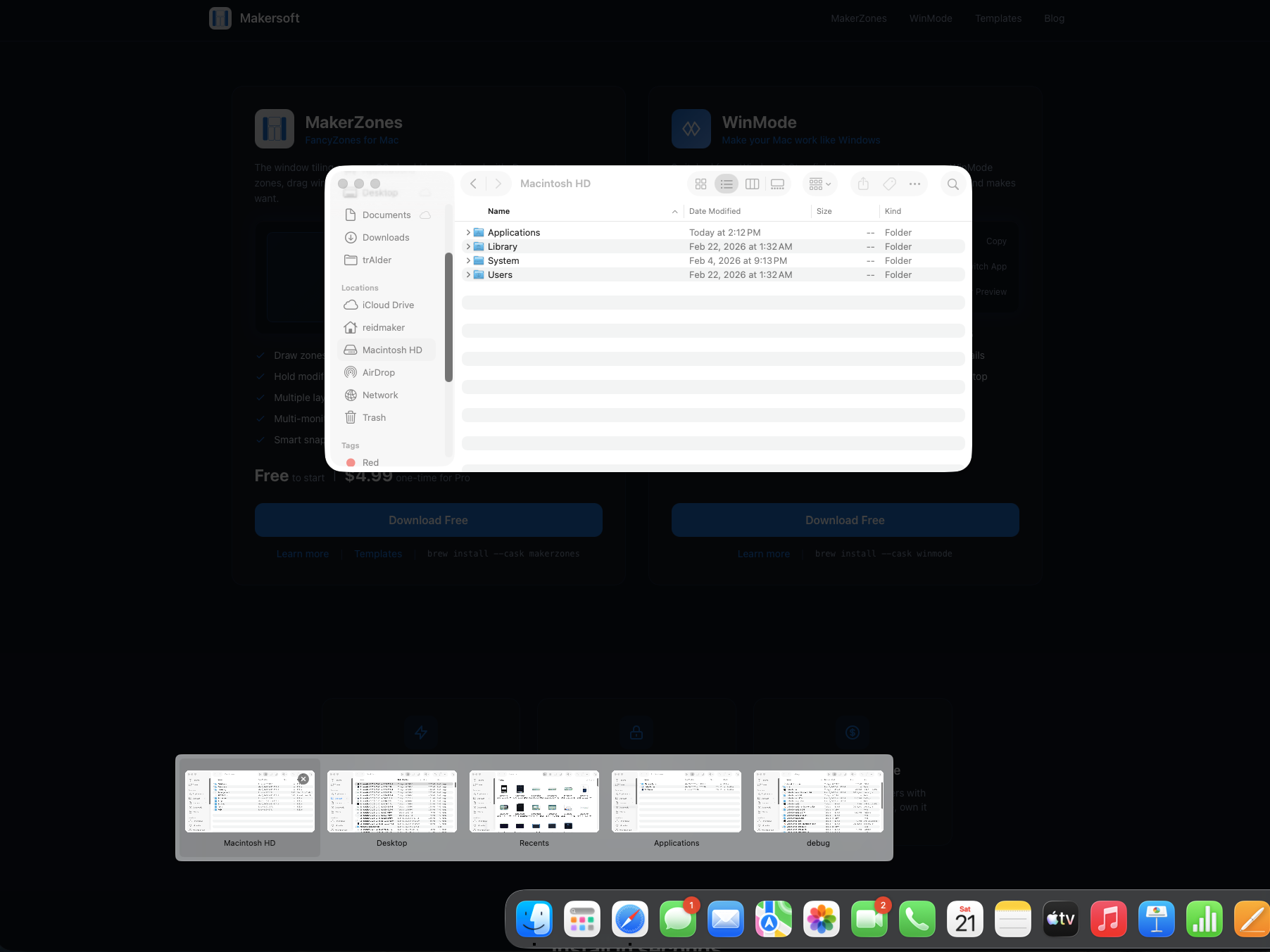
Desktop Peek — hover a thumbnail to see exactly where the window sits
Live window screenshots
Every open window gets a real-time thumbnail preview. See exactly what's in each window before switching — no guessing from titles alone.
Desktop Peek
Hover over a thumbnail for 300ms and all other windows fade away, showing you exactly where that window sits on your desktop. Move between thumbnails to peek at different windows instantly.
Click to switch
Click any thumbnail to bring that window to the front. Works across all apps — Safari tabs, Finder windows, Terminal sessions, anything with an open window.
Close from the Dock
Hover over a thumbnail to reveal the close button. Click X to close that window without switching to the app first — just like Windows 11.
macOS Dock (default)
App name tooltip
macOS Dock + WinMode
Live thumbnails + Desktop Peek + click to switch + close
Text editing that actually works
The #1 frustration for Windows switchers: text navigation is completely different on Mac. WinMode fixes all of it.
"I just want to press Home to go to the start of the line. Why is that so hard on Mac?"
Sound familiar? You're not alone. These shortcuts are muscle memory after years on Windows.
Word-by-word navigation
- Jump one word left/right Ctrl+Arrow
- Select word by word Ctrl+Shift+Arrow
- Delete word backward Ctrl+Backspace
- Delete word forward Ctrl+Delete
Line start & end
- Jump to line start Home
- Jump to line end End
- Select to line start Shift+Home
- Select to line end Shift+End
Document start & end
- Jump to document top Ctrl+Home
- Jump to document bottom Ctrl+End
- Select to document top Ctrl+Shift+Home
- Select to document bottom Ctrl+Shift+End
Everyday editing
- Select all Ctrl+A
- Find & Replace Ctrl+H
- Undo / Redo Ctrl+Z / Y
- Save Ctrl+S
All 16 text editing shortcuts work in every app — browsers, email, code editors, Notes, Pages, and more.
Included in Pro47 shortcuts, instantly remapped
Every shortcut is individually toggleable. Disable what you don't need.
Clipboard
Free- Ctrl+C Copy
- Ctrl+X Cut
- Ctrl+V Paste
Editing
Pro- Ctrl+Z Undo
- Ctrl+Y Redo
- Ctrl+A Select All
- Ctrl+S Save
- Ctrl+F Find
- Ctrl+H Find & Replace
- Ctrl+N New
- Ctrl+W Close
- Ctrl+T New Tab
- Ctrl+Shift+T Reopen Tab
- Ctrl+P Print
- Ctrl+O Open
- Ctrl+L Address Bar
- Ctrl+` Clipboard Search
- Ctrl+Bksp Del Word Back
- Ctrl+Del Del Word Fwd
Navigation
Pro- Home Line Start
- End Line End
- Shift+Home Select to Line Start
- Shift+End Select to Line End
- Ctrl+←/→ Word Left/Right
- Ctrl+Shift+←/→ Select Word
- Ctrl+Home Doc Start
- Ctrl+End Doc End
- Ctrl+Shift+Home Select to Doc Start
- Ctrl+Shift+End Select to Doc End
System
Pro- Alt+Tab App Switch
- Alt+F4 Quit App
- F2 Rename
- F5 Refresh
- Win+L Lock
- Win+D Desktop
- Win+E Finder
- Win Key Spotlight
- PrtSc Screenshot
- Ctrl+Shift+Esc Force Quit
- Alt+Enter Get Info
- Shift+Del Forward Delete
Install and forget
WinMode runs silently in your menu bar. No configuration required.
Grant Accessibility
Allow WinMode in System Settings → Privacy → Accessibility. Required for key remapping.
Use your Mac like Windows
All your Windows shortcuts work instantly. Toggle individual remappings from the menu bar if needed.
Complete your referral
After installing, click below to register your friend's referral — or enter the code manually in WinMode Settings.
Register Referral in WinModeFree to start. $4.99 for everything.
Start with the essentials, upgrade when you want the full Windows experience.
WinMode Free
- Ctrl+C, Ctrl+X, Ctrl+V (clipboard)
- Ctrl+Z (undo)
- Launch at login
- Free updates forever
WinMode Pro
Everything in Free, plus:
- All 47 keyboard shortcuts
- Alt+Tab app switching
- Navigation keys (Home/End, word nav)
- System shortcuts (Alt+F4, F2, F5, Win+L)
- Reverse scroll direction
- Per-window menu bar
- Taskbar window previews + Desktop Peek
- Option/Cmd swap & per-app exclusions
7-day free trial, then $4.99. Or share with 5 friends to unlock free.
Stop fighting your Mac
Start free with clipboard shortcuts. Upgrade to Pro for the full Windows experience on Mac.
7-day free trial, then $4.99 one-time. Free updates for life.
brew install makersoft-ai/apps/winmode